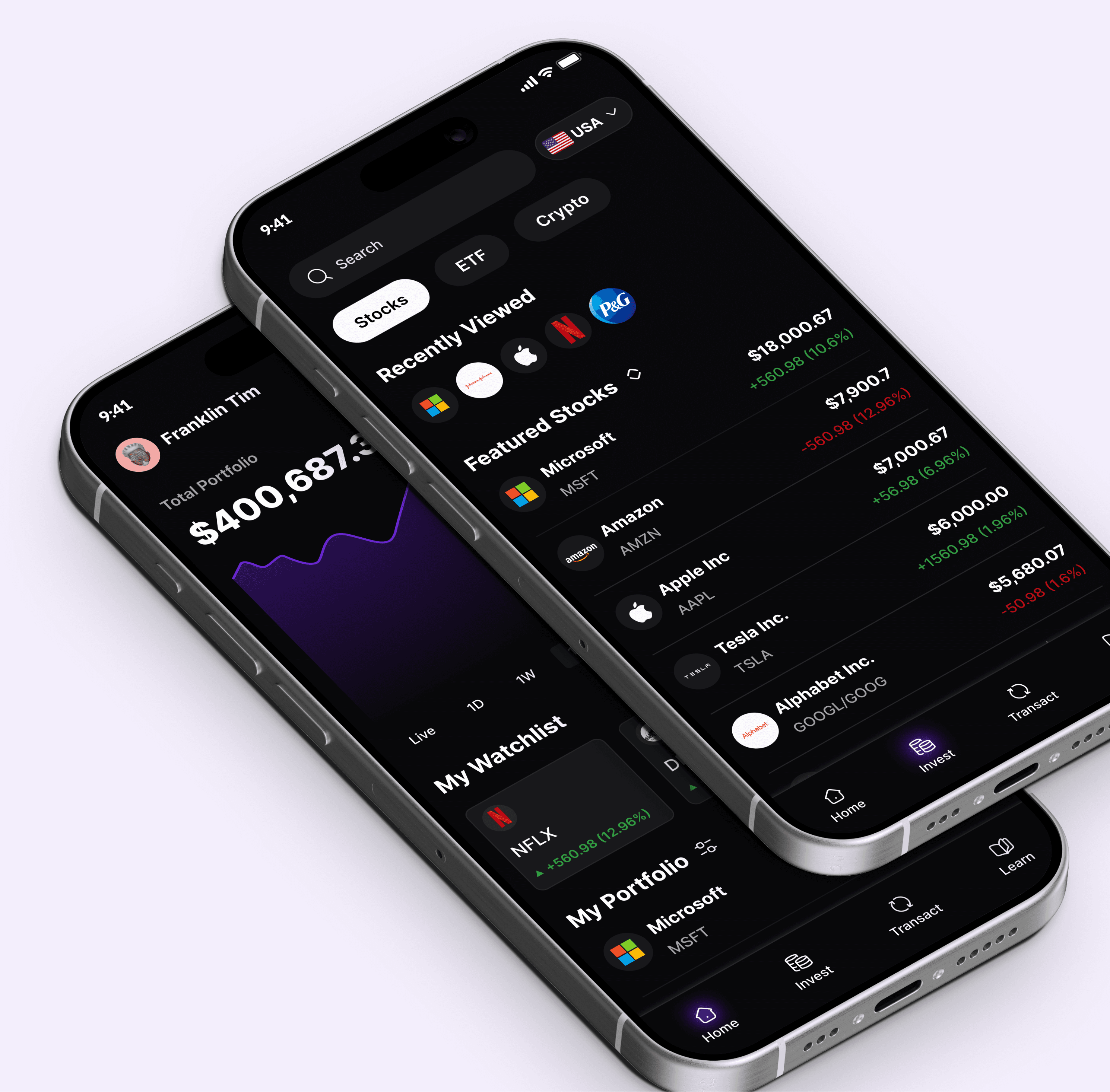
The User interface for Growio was designed with beginners in mind. The interface was made very simple and reducing complication to help first time investors feel comfortable to invest their money. It is also designed as a learning ground for first time investors
Made up of the onboarding and everything seamless. Coupled with some questionnaires to check the users risk tolerance to help monitor their portfolio and also help the artificial intelligence in helping the users
The onboarding is quiet straightforward, users can choose to sign up with google, apple or their email address. Using their email address they get to only provide their email address, their full name and their password and then their phone number, to help send their verification code to after which, they answer group of questionnaires and proceed to the home page
The Home section is further broken down unto four sections. The main home, the search screen, The stock details with watchlist screen and the buy a stock screen.
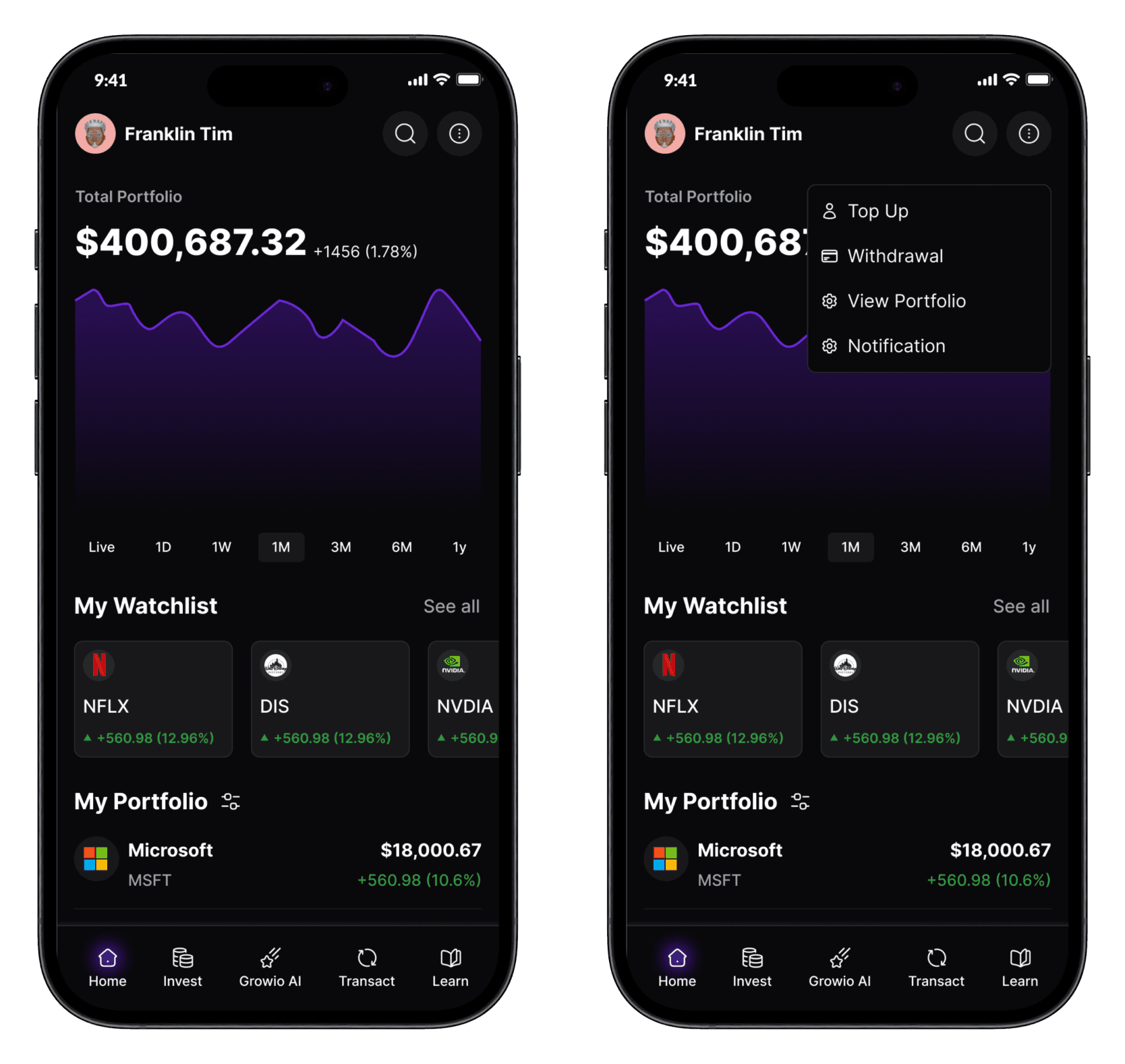
The main home screen is quite a simple one. Showing the current portfolio balance of the user and the changes made so far. Equally showing the profile of the user. Their is also provision for the watchlist the user has created so far if any. Also the portfolio of the user so far. On further details it shows the details of the stock that the user wants to incest in
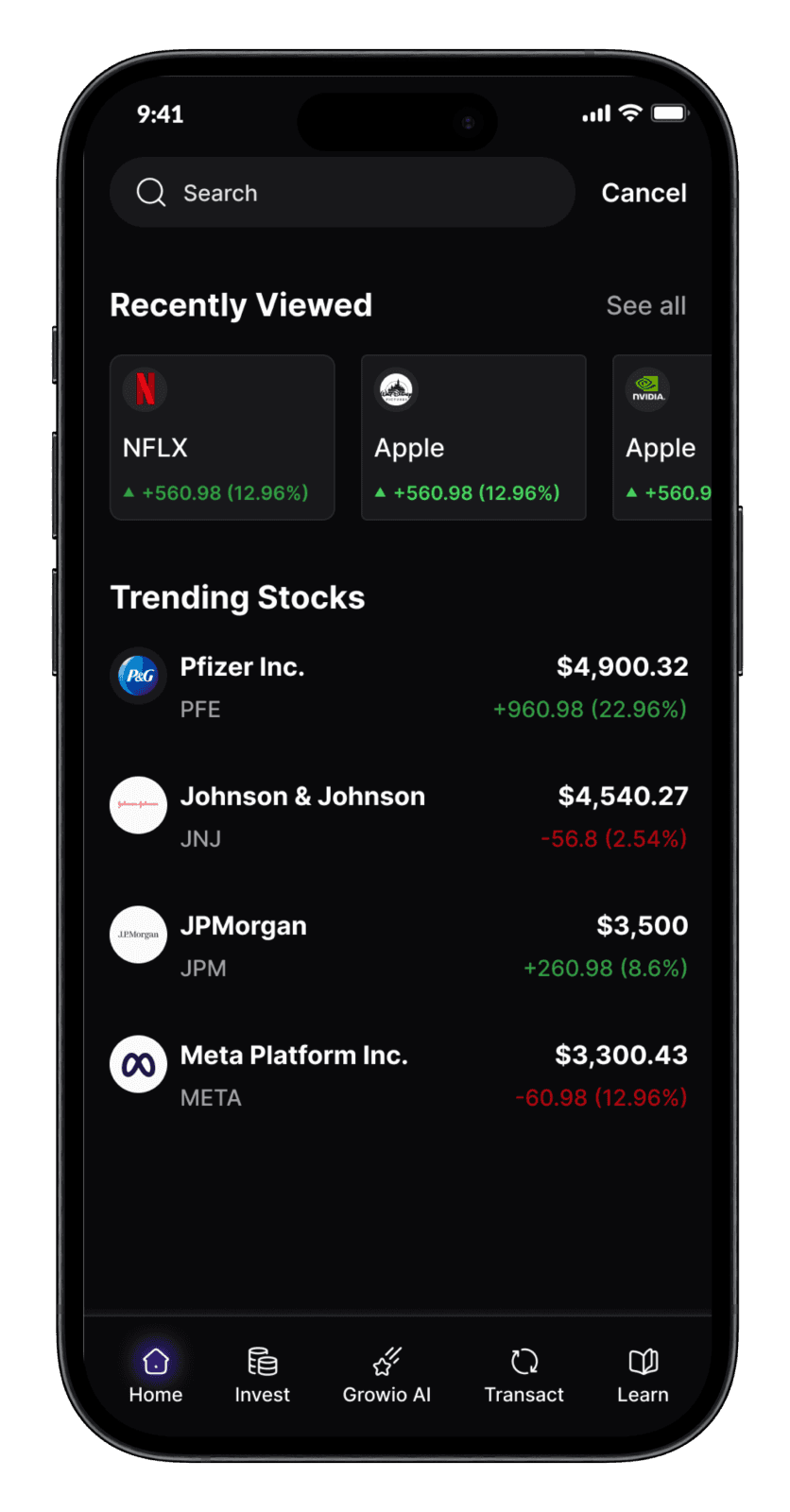
Searching for new stocks to invest in growio allows users to see their recently viewed searches as well as the trending stocks.
Stock details & Watchlist
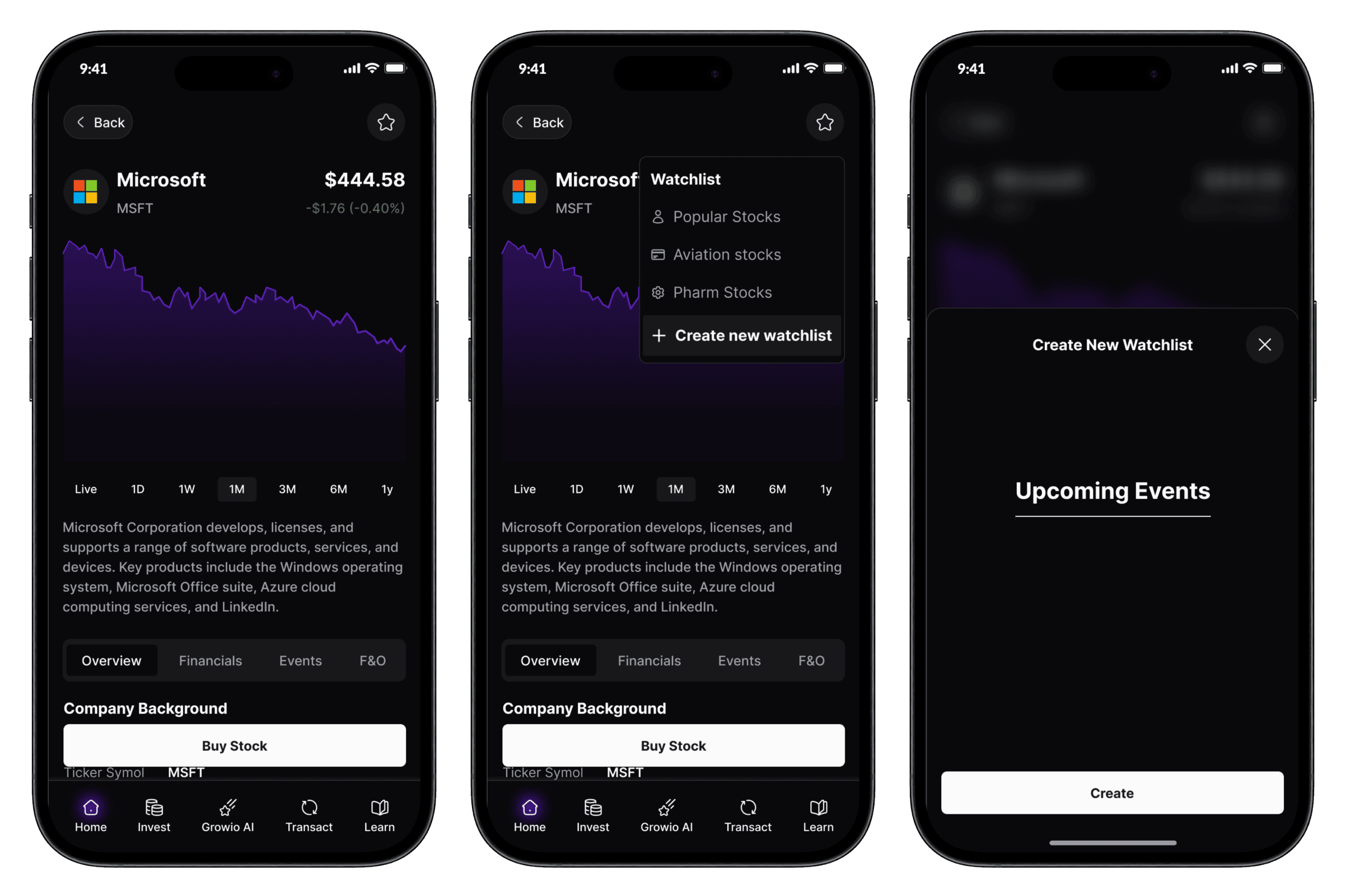
From the home page, users can choose to view the details of the stock. When open the page shows the name of the stock, the current price and graph showing variations of for different months. User can also get the overview, the financials details and any news about the stock. If interested, they can add the stock to their watchlist.
Buying The Stock
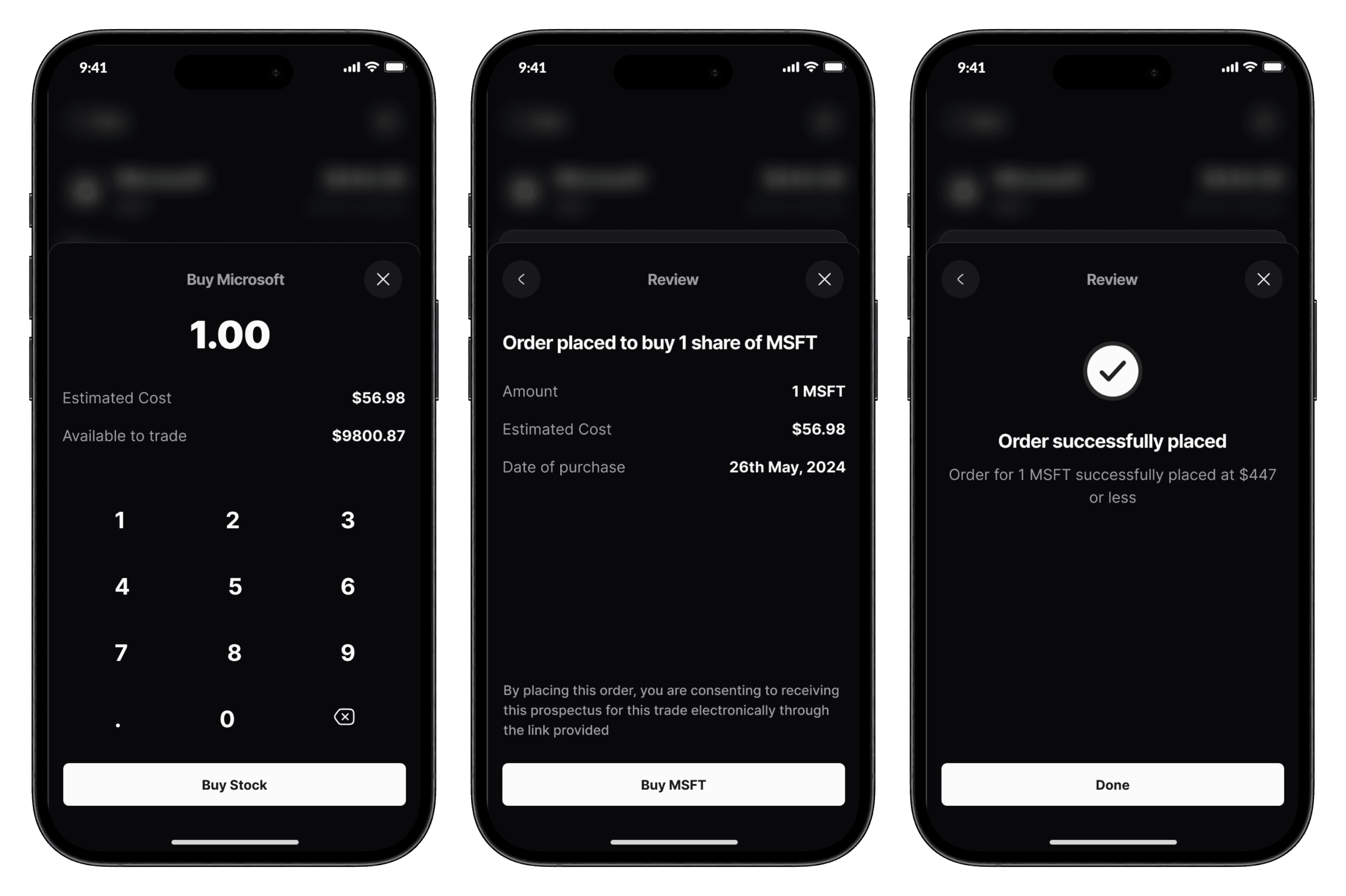
Buying stock can be overwhelming especially for first time investors. So to make it easier for them, we made it a straightforward process. Placing an order shows how much stock the user is buying and how the much user had available to trade. After which their is a review of the order placed and confirmation.
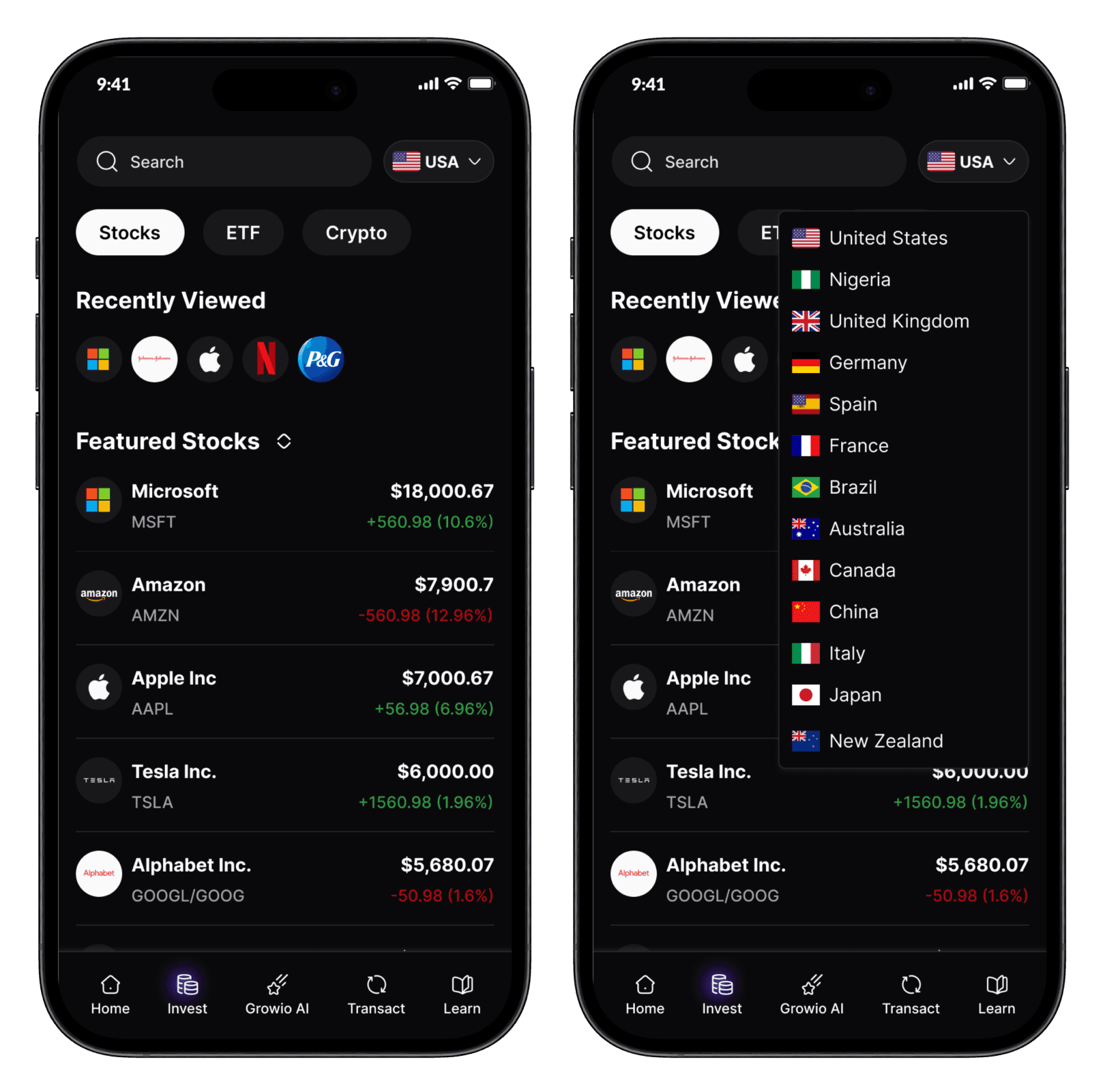
The invest screen shows users the suggestions of stocks they should possibly invest in, showing them the countries as well
The investment screen shows the users varieties of things they can invest in such as stock or ETF or even crypto. It also show the user their recently viewed searches. The featured stock based on recommendation from AI or their searched. It also shows the countries for those that want to invest based on countries of the company.
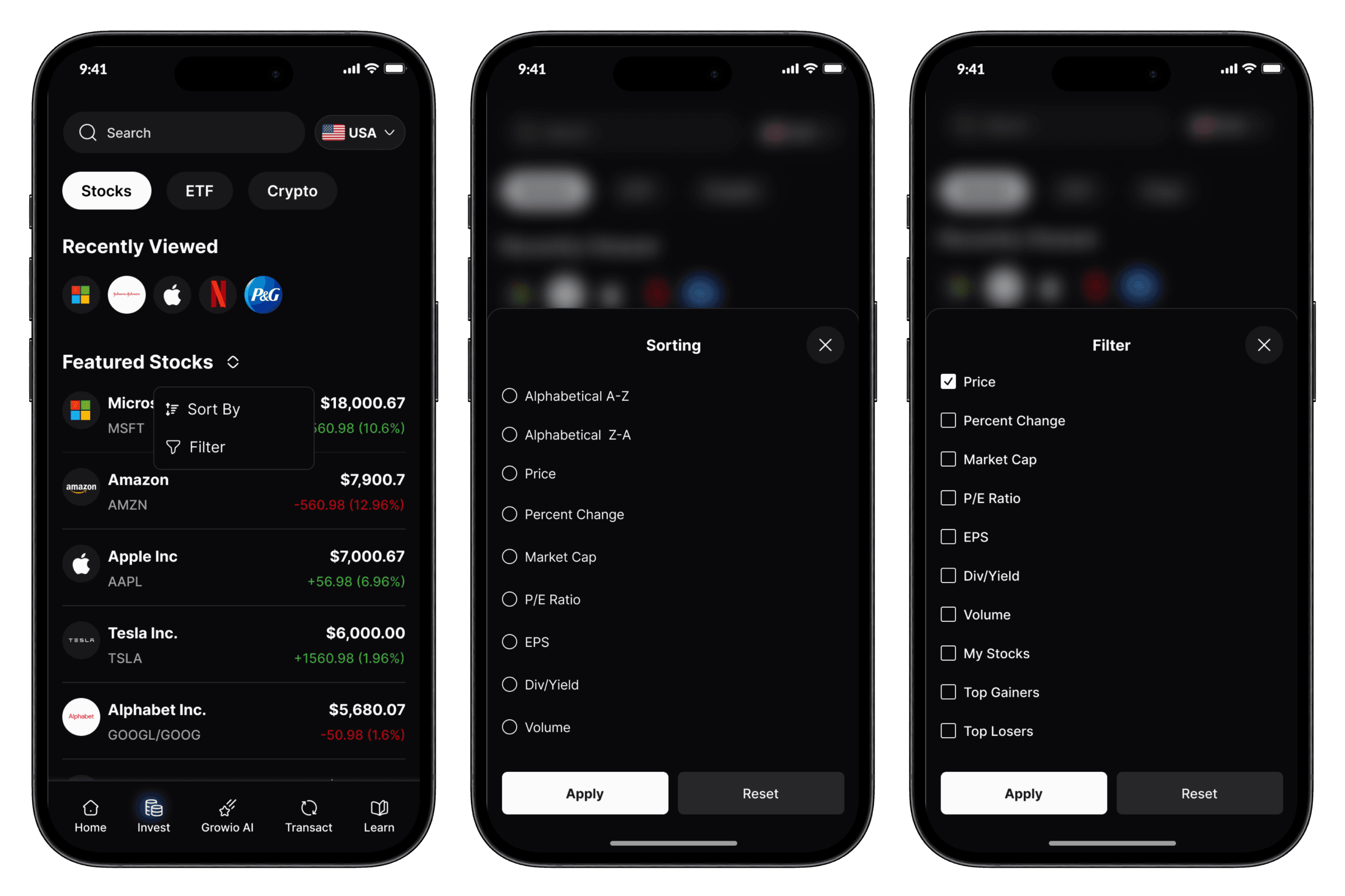
Sorting and filtering allows for preference to help with deciding on the things the users may want to invest in.
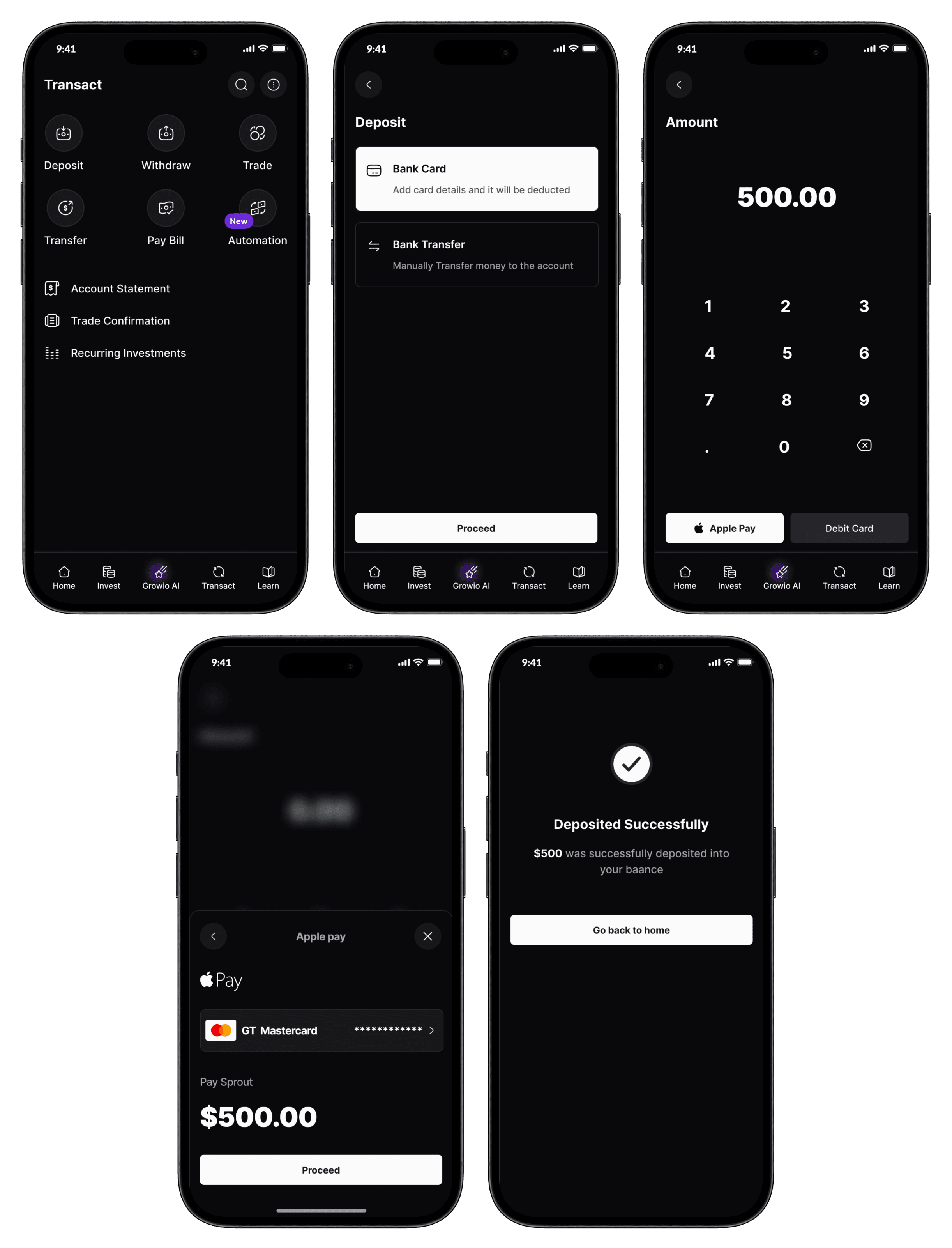
Every transaction and transaction details made on Growio can be found here. This was done to reduce the burden and overcomplication on the home screen. The transact screen contains ; Deposit, Withdraw, Trade, Transfer-within the app, Pay bill and automation-to help users to automatically invest
Depositing money to Growio is a very simple one. The user can chose to use a bank card or a bank transfer, after which the user puts the amount of money they would love to send to Growio. Having that this was done in an IOS, the easiest way to make payment for anything is through apple pay, users can chose to add a different debit card if they chose to, after which the transaction is deemed successful
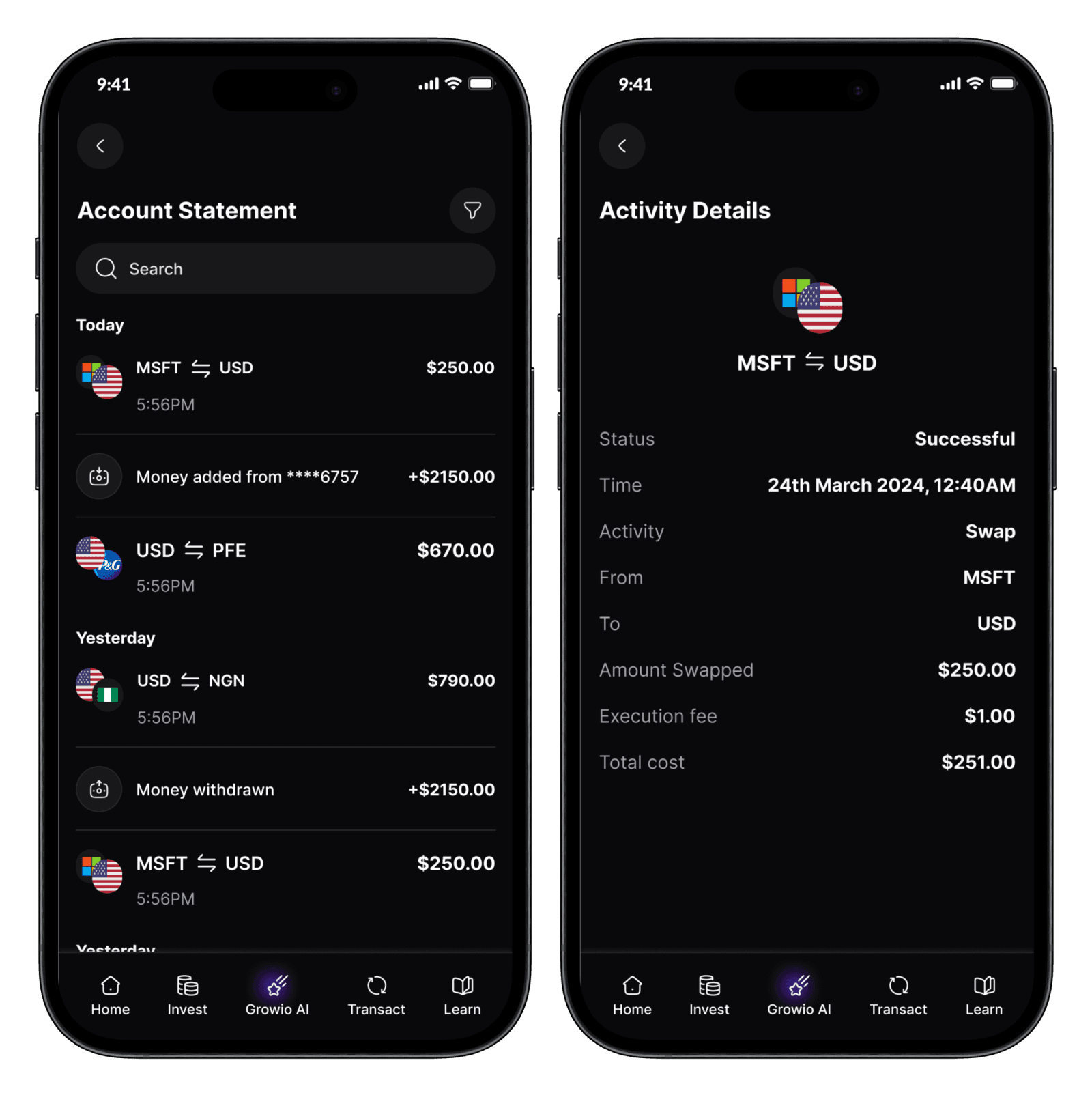
The account statement shows every transaction that the user has made. This cannot be confused with trade confirmations. The account statement consisted of successful and failed deposits, withdrawals and transfers that happens in the app.
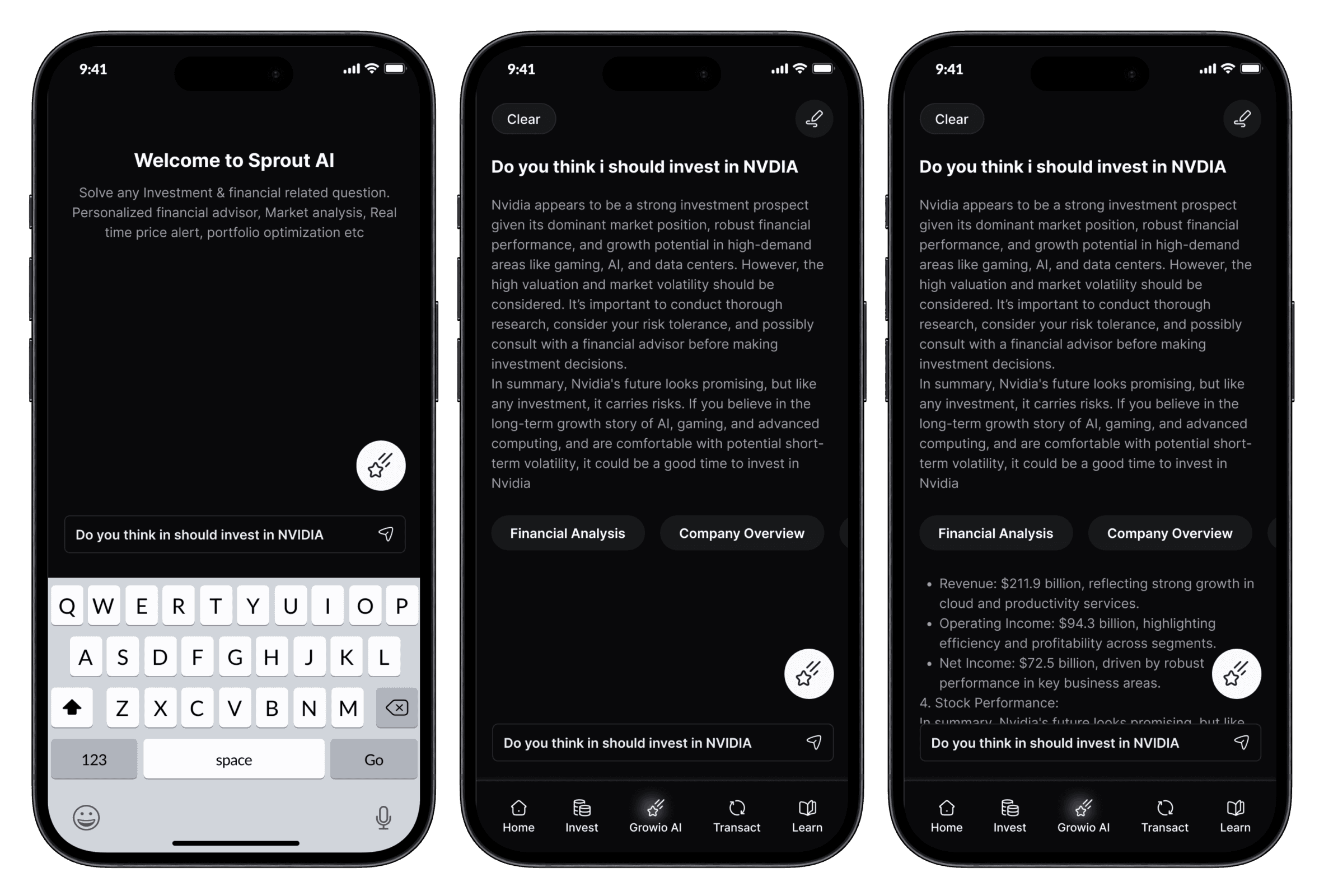
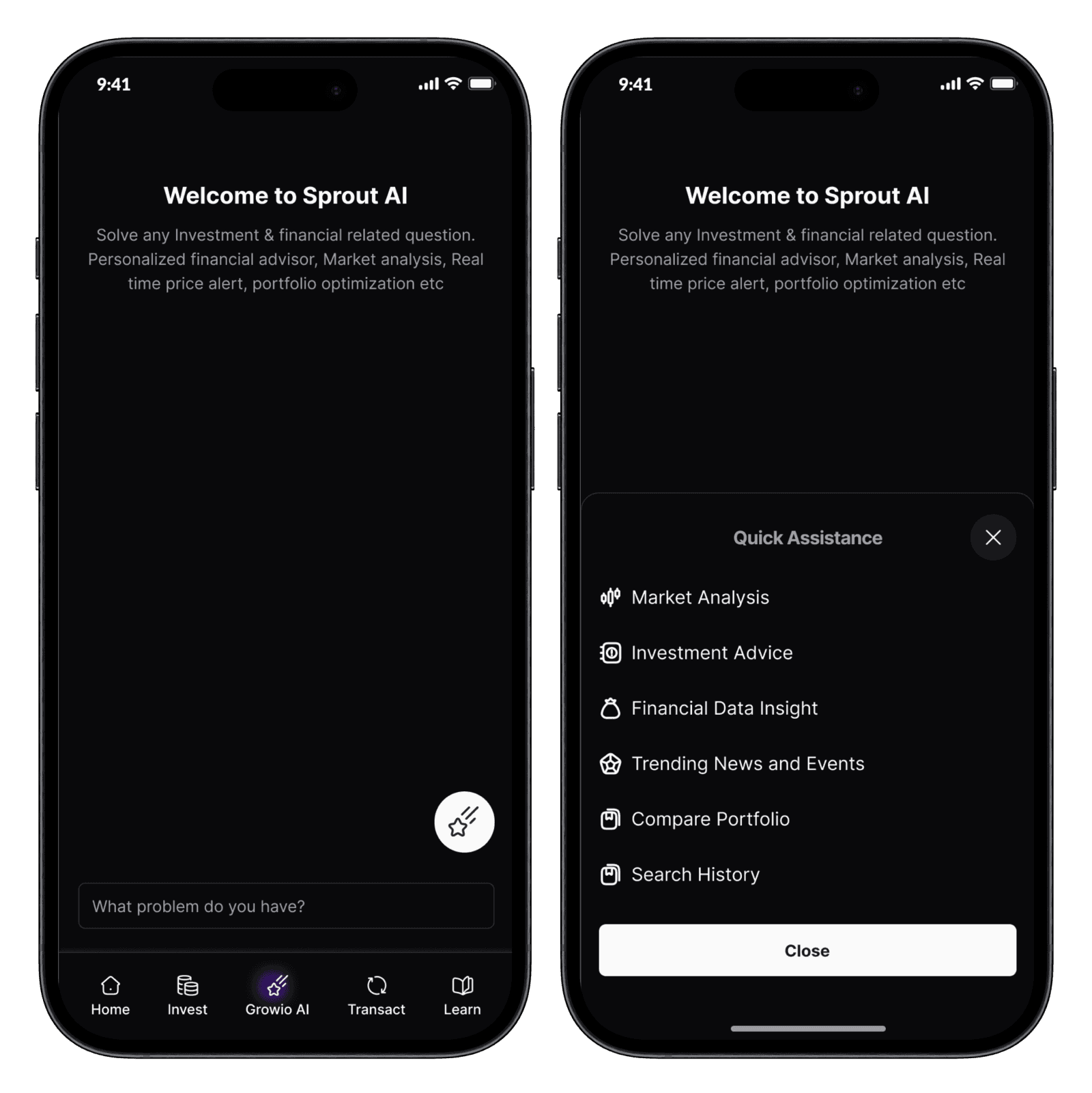
Artificial Intelligence is a modern day solution to modern day problem as we all know. Growio AI solves a lot of problem, it helps the users with answers to any question they may have concerning investment. Growio AI also did some fixated things like market analysis, Investment advice, Financial data insight, trending news and events, compare portfolio.
Growio AI had some features like market analysis, Investment advice, Financial data insight, trending news and events, compare portfolio. This helps with direct answers to question they may have .
The account statement shows every transaction that the user has made. This cannot be confused with trade confirmations. The account statement consisted of successful and failed deposits, withdrawals and transfers that happens in the app.