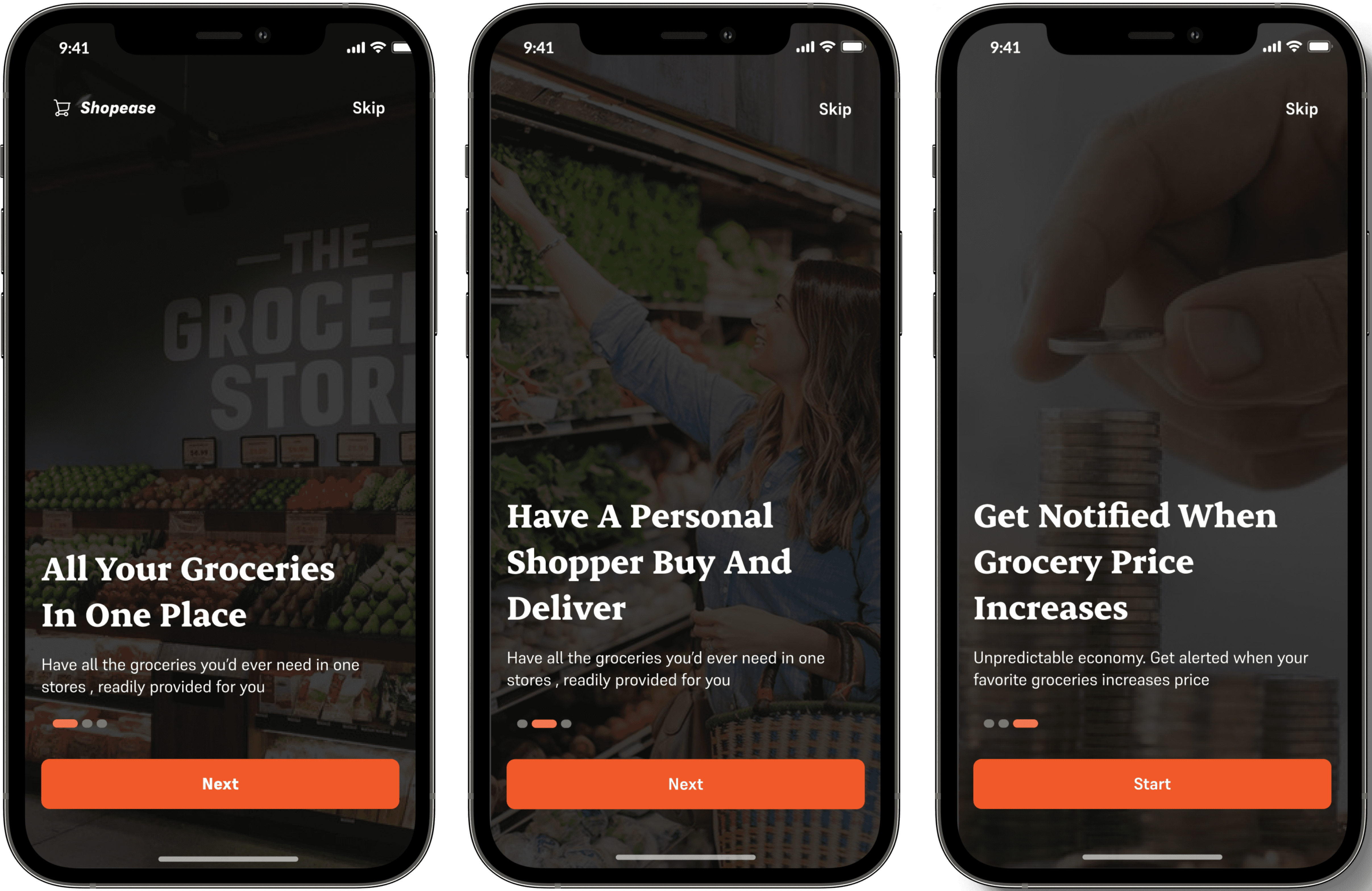
Onboarding Screen 1
The onboarding screens a quite simple and straight to the point, strictly narrating the things that the users will get to benefit from using Shopease, while also giving them option to skip all these processes and go straight to the next process.
Onboarding Screens 2
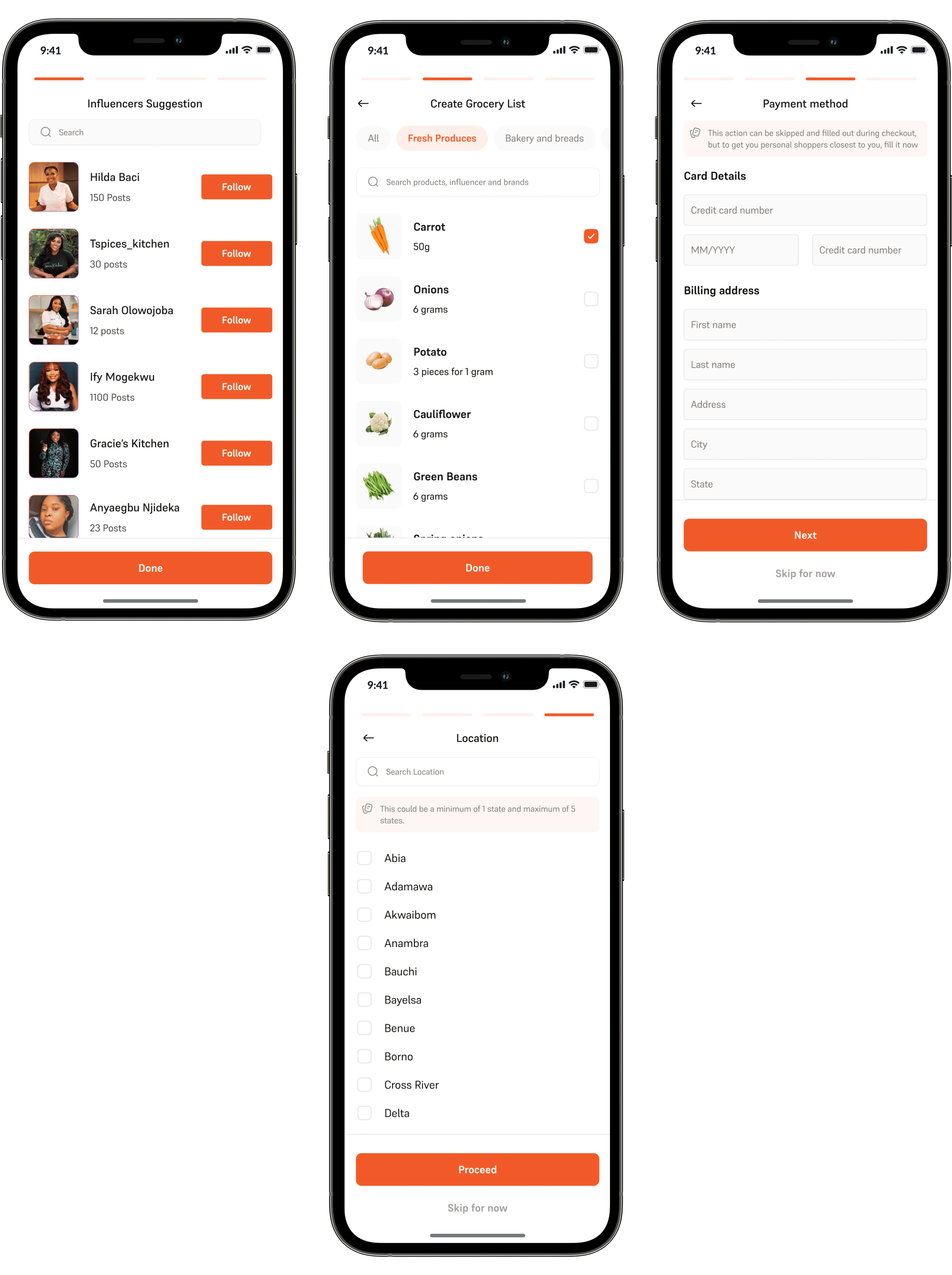
This part of the onboarding is divided into 4 sections.
The influencer section- Choosing the influencers that the users might like to follow, this may be edited later on.
The grocery list section- The user gets to create grocery list that also helps us recommend products for them.
Payment method- The users can chose to add their payment at this beginning stage or they can as well add it later on.
Location- Asking the user their location details to help match them with vendors or personal shopper closest to them.
Home Screen
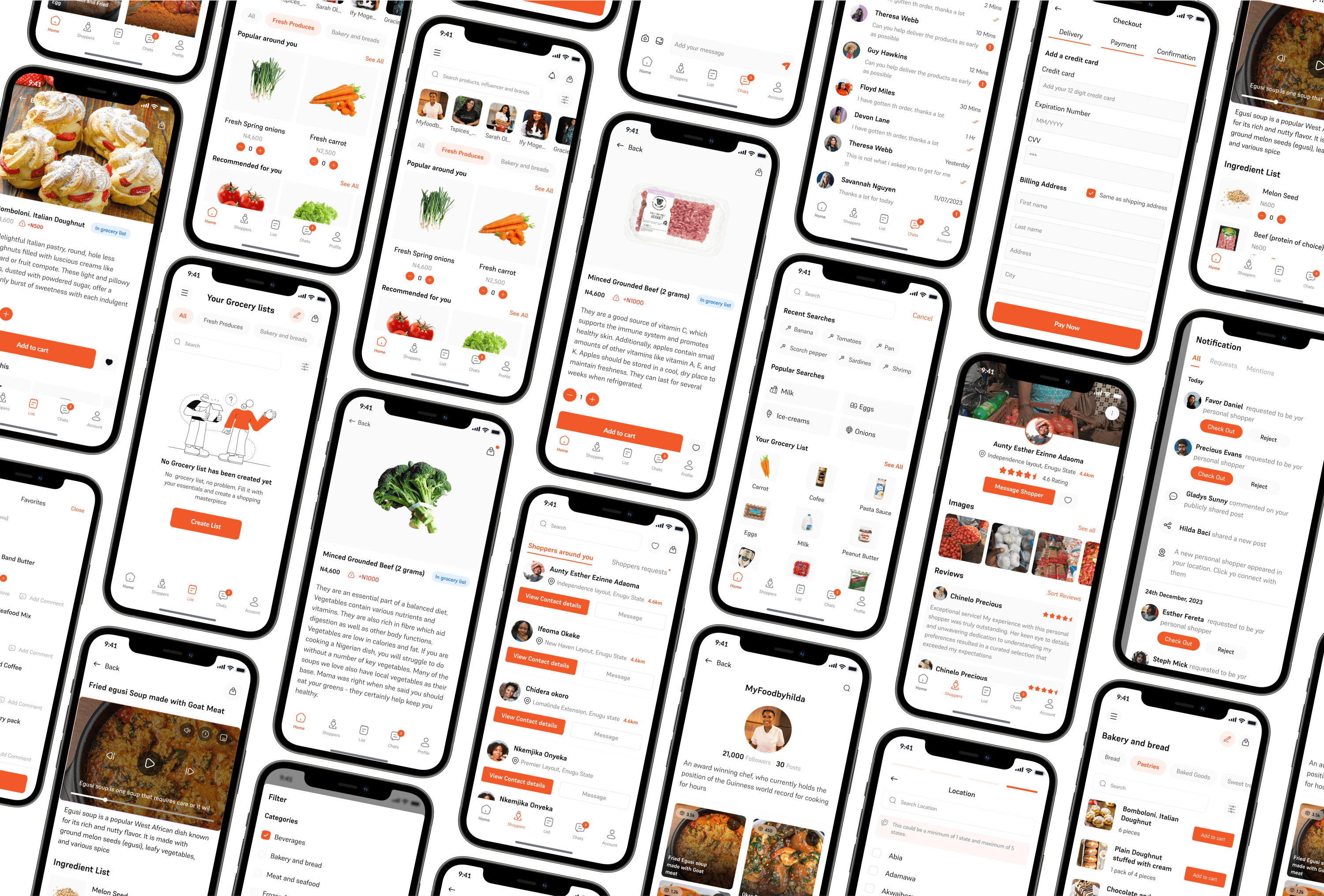
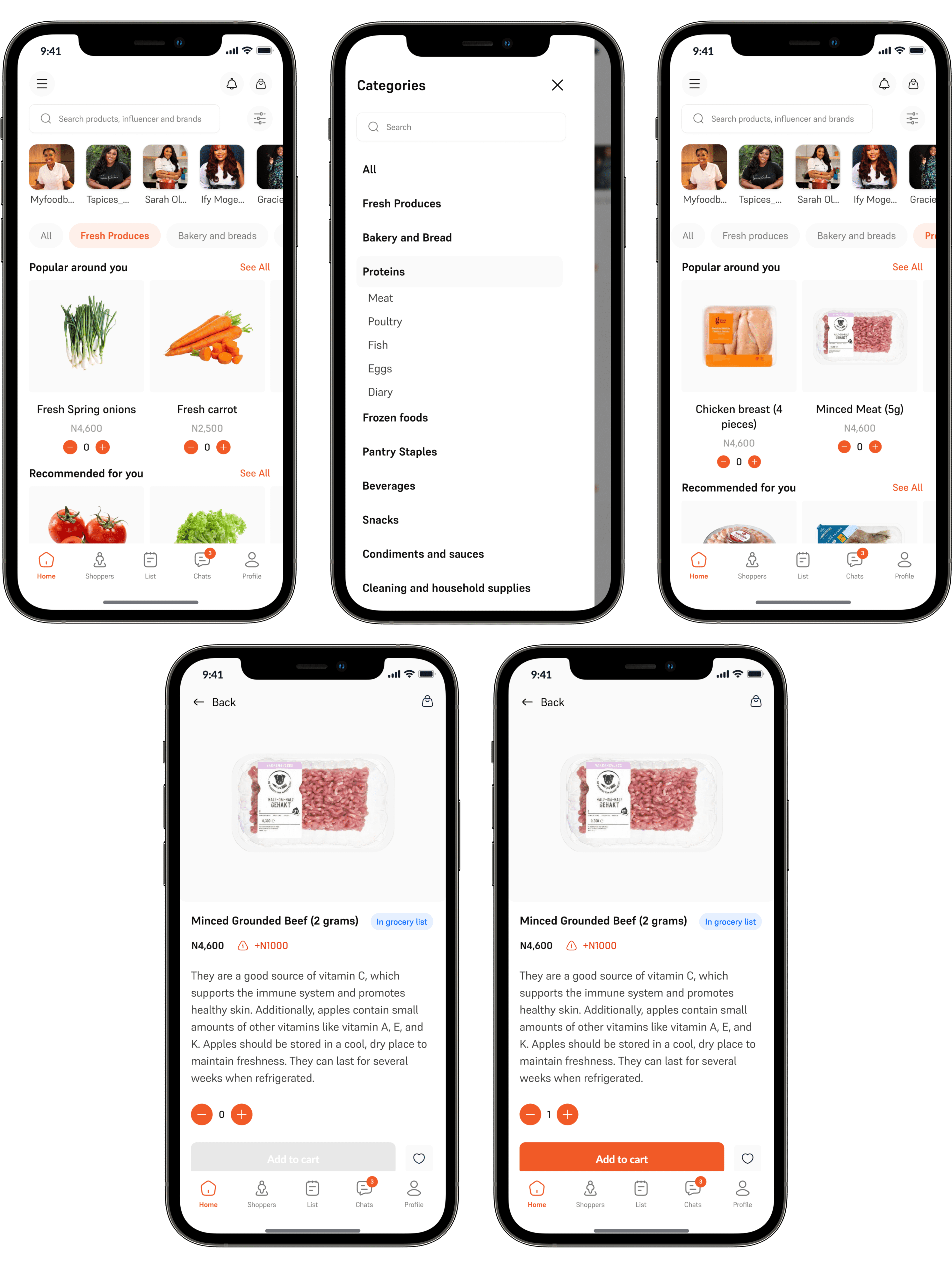
The home screens has a lot of components to it, which most of them will be treated in different sections, like the search, the influencer stories, notification and cart.
But for this particular home, we have
The Drawer: Showing all the categories of products in shopease, these same categories are also listed on the front page of the app, to help categories the products.
Product Details: The product details appears when a product is clicked on. The product details page includes the name of the product, If or not it is available in the grocery list, the price of the product ,the price change, if any, the product little description, favorite button and finally the add to cart button.
Search
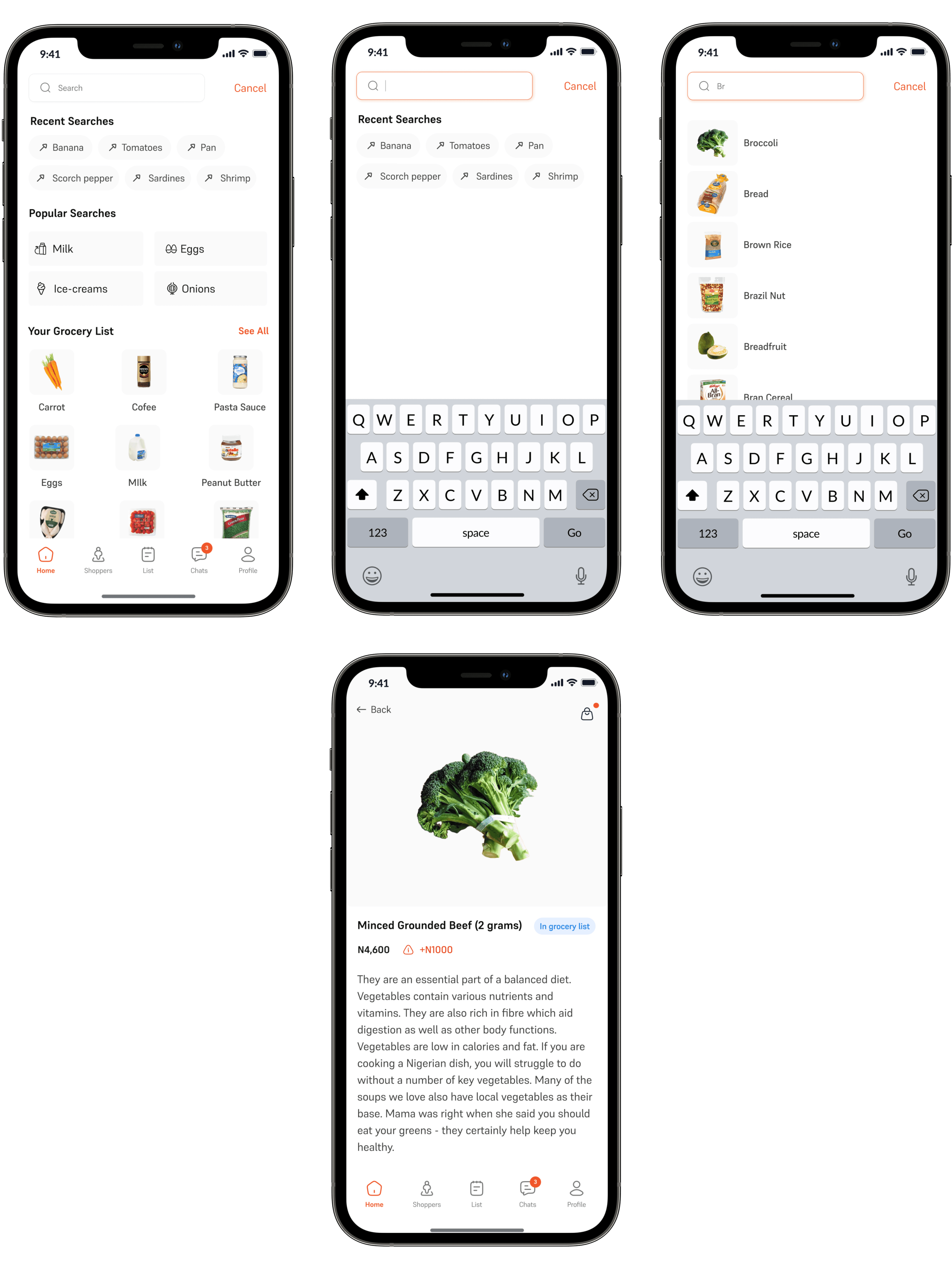
Shoppers can search for products that they want to get and also get possible recommendation, all these while showing them what is in their grocery list. The search result is just the product description of that product and an add to cart button.
Notification
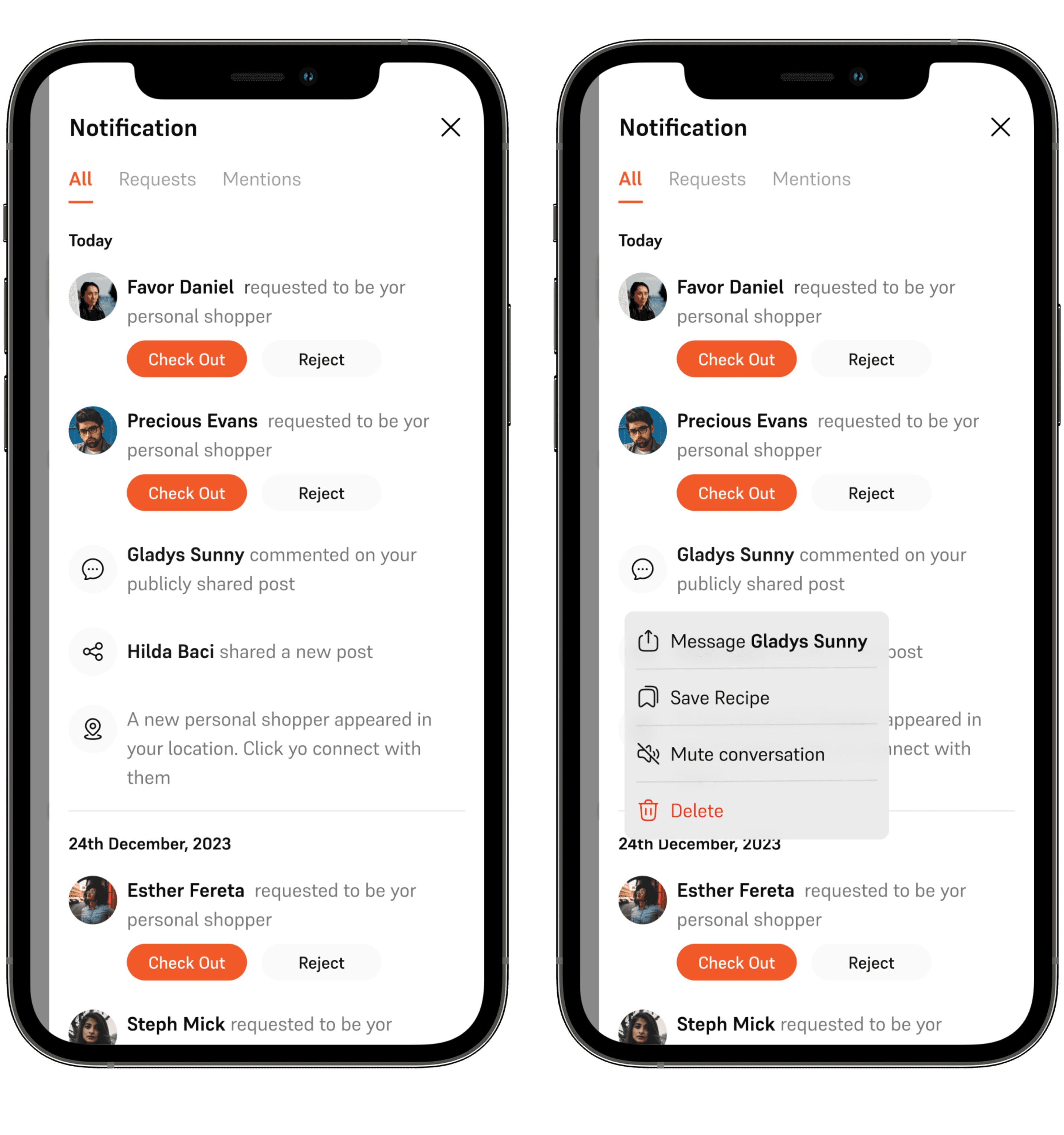
Shoppers get notified when their is a price increment or decrement. They also get notified when when they are mentioned in comment or when their favorite influencer makes a post. They also get notified when a new personal shopper appears in their area.
The notification comes out as a drawer when the notification icon is clicked on.
Influencer Arena
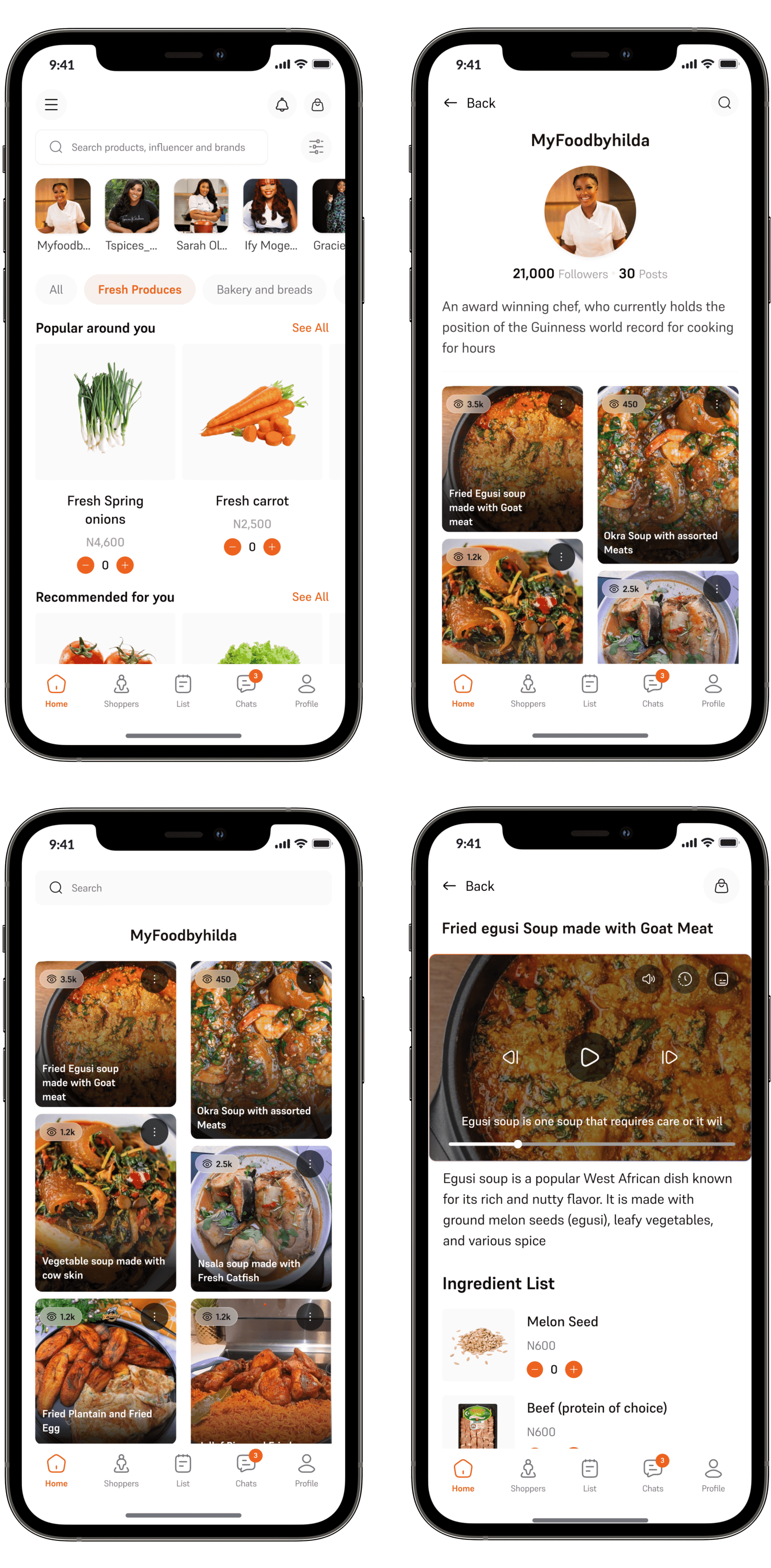
First of all, i don’t know why i called it that, but what this does is, all the influencer that a shopper is following, appears on the top corner of the home page, when the user clicks on a any of the influencer, the influencers details comes out, as well as the foods they've posted ion the app. Each recipes consists of the food list used un making the food as well as their various prices.
Cart and Checkout
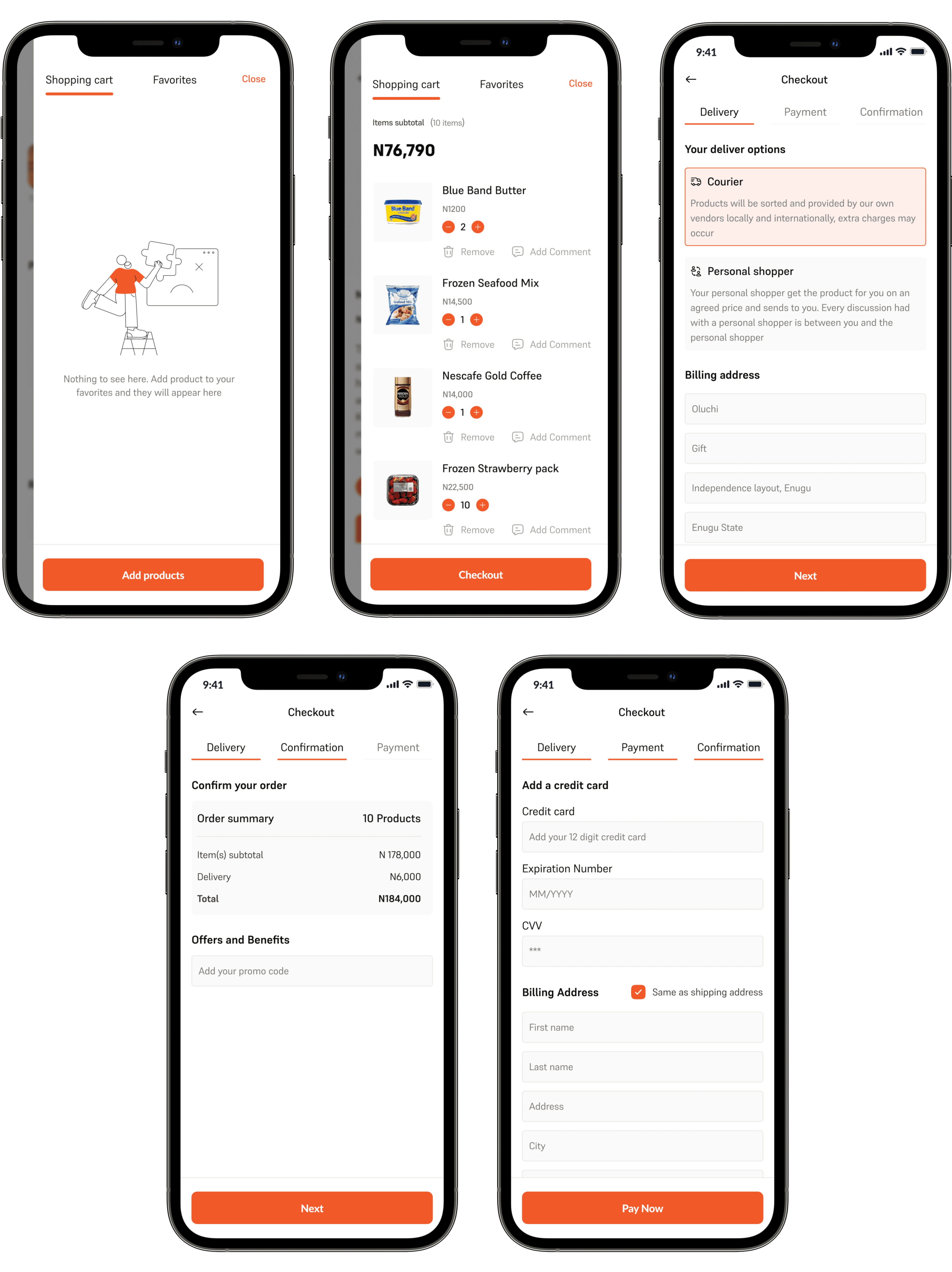
The cart and checkout are divided into five section:
The empty state: When their is no product in the cart, their is a call to action button that asks the shopper to add products.
The active Cart: Here users has added products to their cart and they are ready to checkout their shopping.
The Checkout (Delivery): This asks the users their preferred delivery option; courier or personal shopper, a well as their billing address.
The Confirmation: The user confirms that it is what they ordered is what they are getting
Payment: The users add their credit card details to allow for swift payment
Shoppers
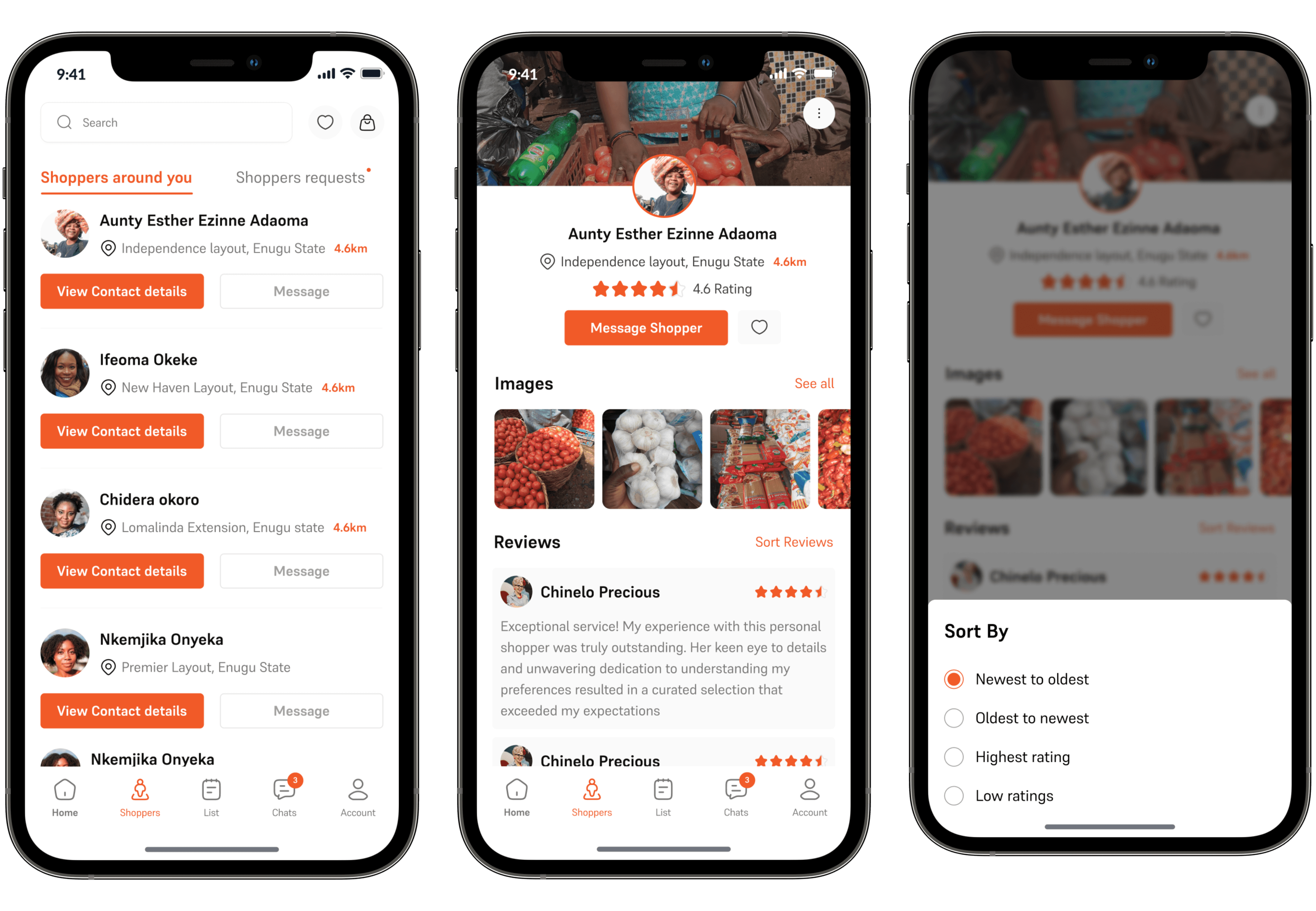
This shows the shoppers a round the users and how far away they are from the. The users can choose to message shopper or view contact details. The contact detail include the shoppers full name, location and rating. It also include any added image to improve trust as well as testimonials from previous client.
Lists
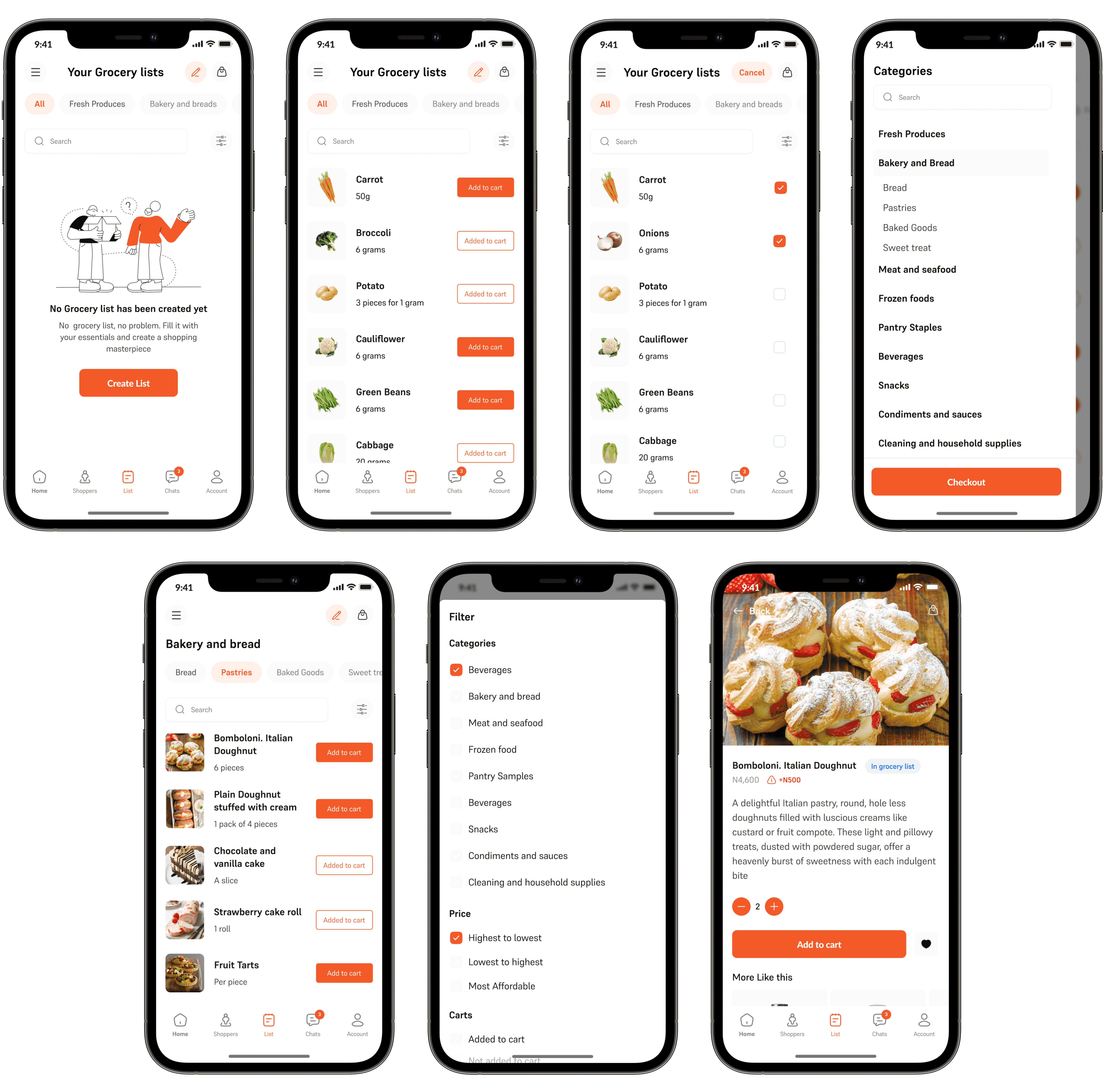
To create a grocery list, user simply has to add the product the list, the users can always edit the list whenever it pleases them. The advantage of having a product added to the grocery list is that, when creating a shopping list, items in your grocery list will be reminded for you and also when their is a change in price in any of the products in the grocery list, the user will be notified.
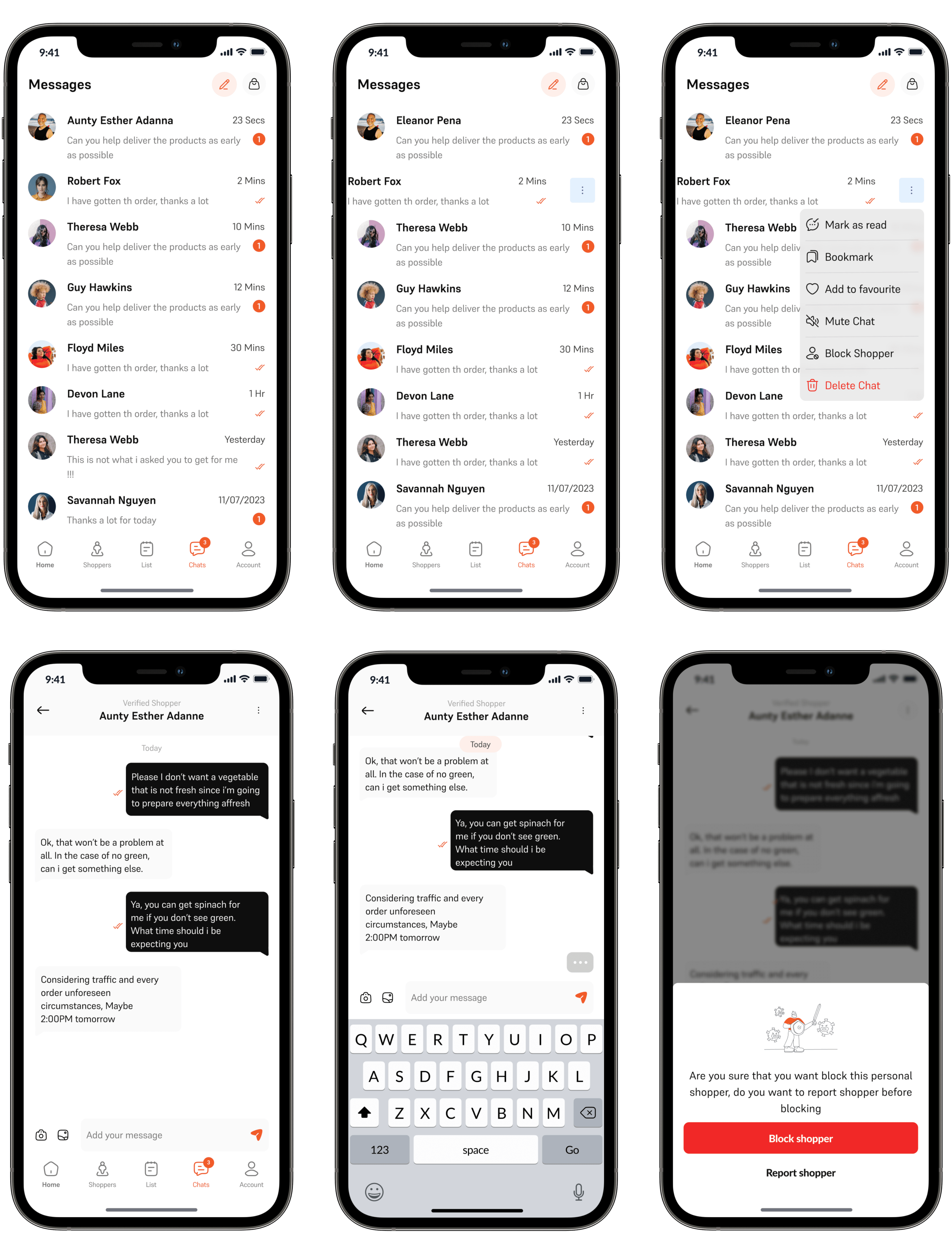
Chats
As previously stated, their is a constant Chanel of communication between a user and their personal shopper. Their can also call one another either as a voice call or a video call. They can also share picture. All these are made available so that the user gets everything that they want as they want it, to prevent regrets after everything has been purchased.
Accounts
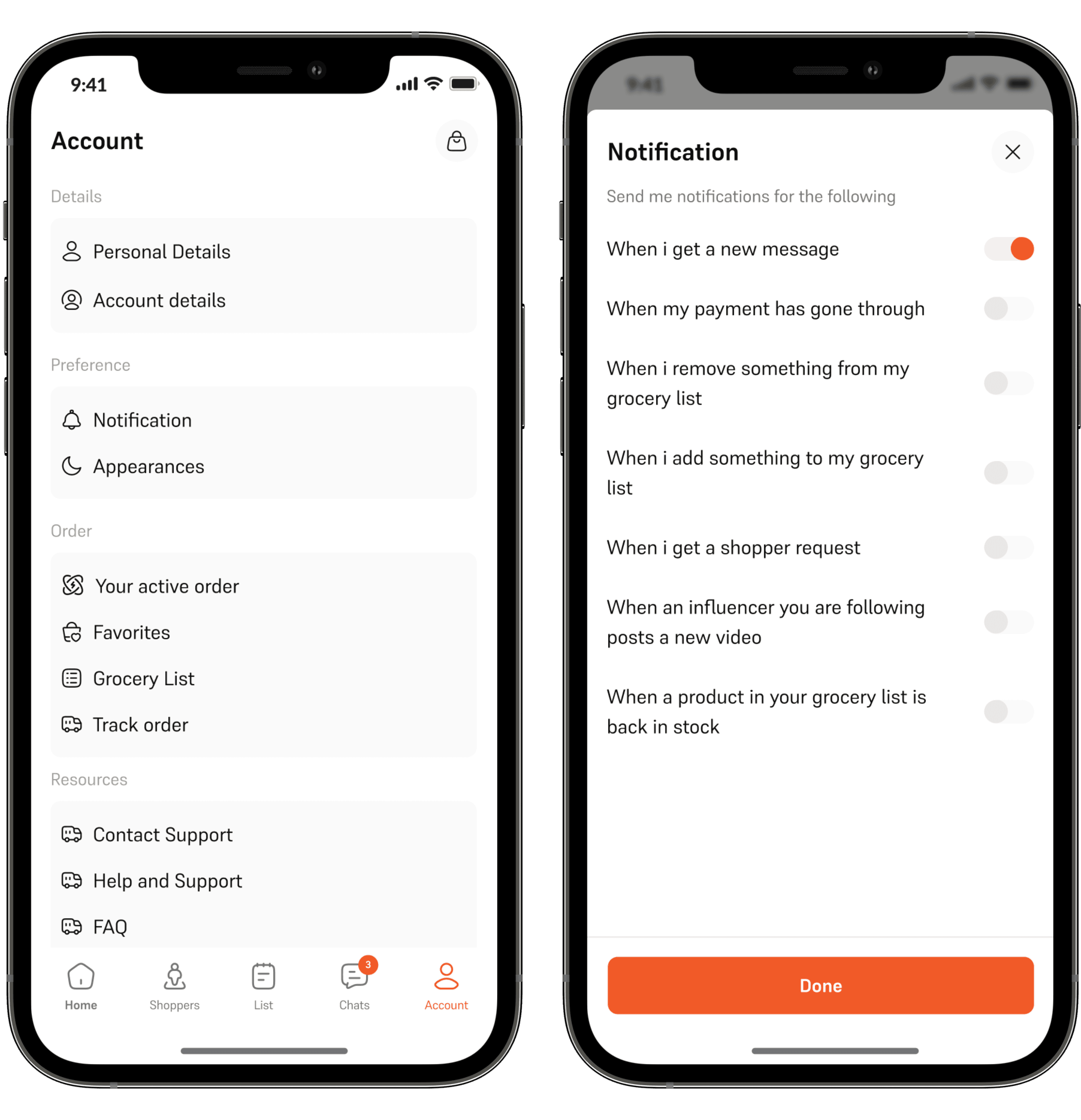
The account part is pretty simple, these are the things that will help user navigate the app swiftly. Set things the way they will like it to be.